Go to
Account >
Profile >
Overview >
Documents >
Add documents.
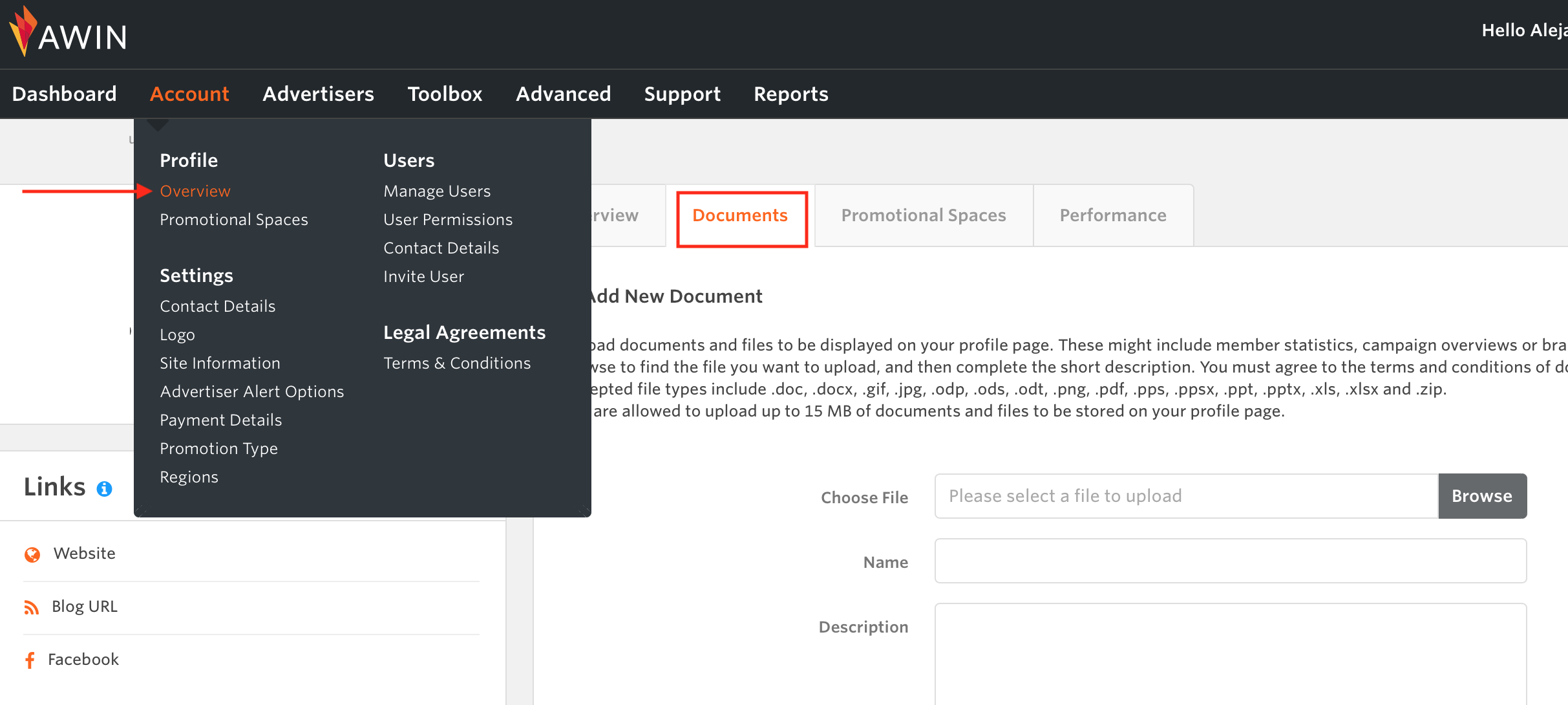
Upload documents and files to be displayed on your profile page. These might include member statistics, campaign overviews, or brand presentations.
Browse to find the file you want to upload, and then complete the short description. You must agree to the terms and conditions of document uploading before you can upload any files.
Accepted file types include .doc, .docx, .gif, .jpg, .odp, .ods, .odt, .png, .pdf, .pps, .ppsx, .ppt, .pptx, .xls, .xlsx and .zip
You are allowed to upload up to 15 MB of documents and files to be stored on your profile page.



