The
Device Performance report gives you detailed performance metrics on all cross-device transactions. This includes the ability to break down cross-device performance by Advertiser, to see which Advertisers you partner with is generating the most cross-device sales.
For more information on cross-device transactions, please refer to the article:
What is cross-device tracking and how does it work?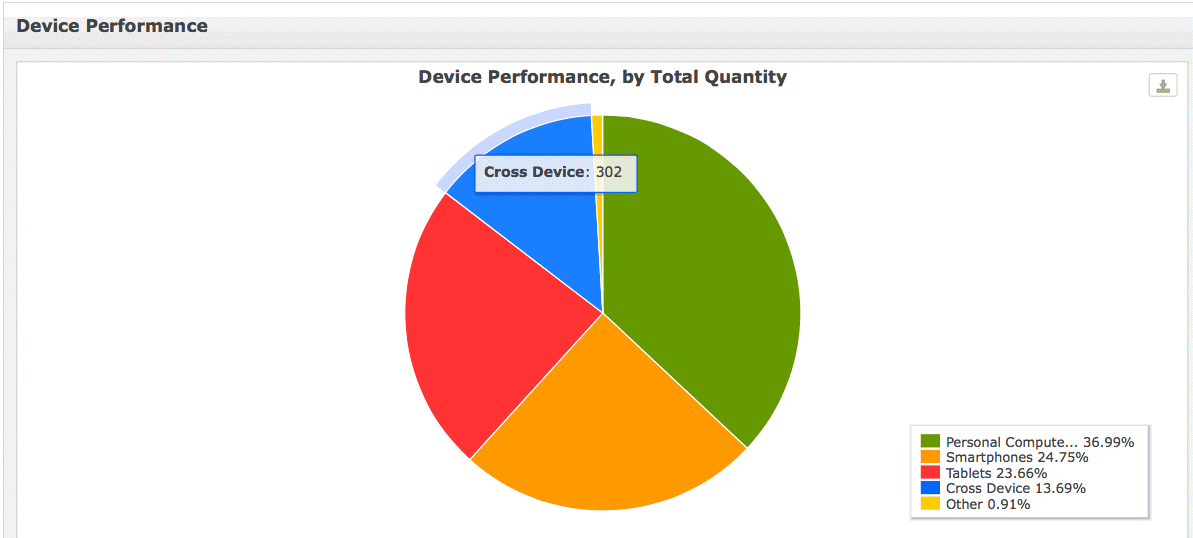
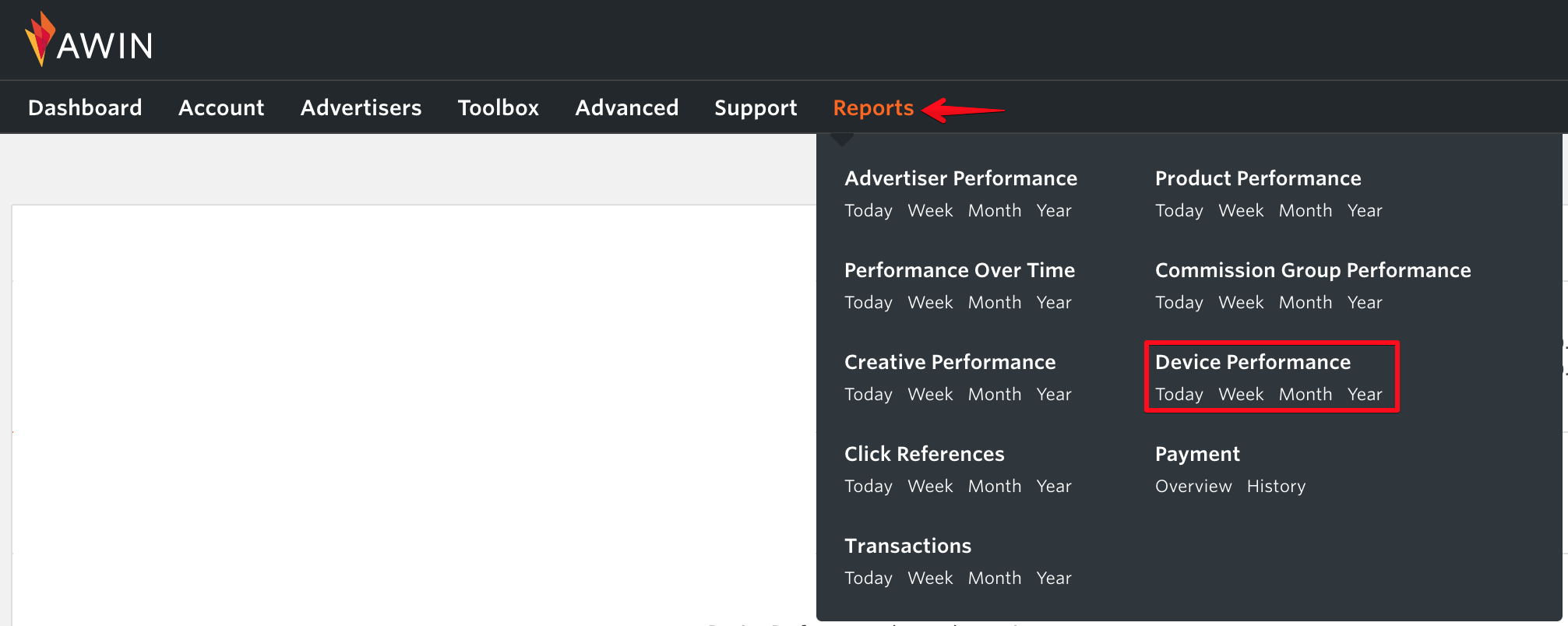
To access the cross device performance report, log in to your account and go to
Reports >
Device Performance.
 Publisher Transaction Report
 also includes the device-specific path to conversion reporting for each transaction. This means you will be able to report on the different initiating and converting devices for cross-device sales.
Simply go to
Reports >
Transactions, select your required reporting parameters and hover over the device icon to show the devices involved in the click and transaction for each sale.




