To measure your results in a certain campaign you can use the click references (shortened as Click Ref). In this article, we will explain with a practical example how to do this.
Let's suppose that you are a content publisher, an Influencer, with a profile on several social networks: YouTube, Instagram and Blog.
Let's take the Black Friday campaign. As an Influencer, you want to get the maximum profitability out of the campaign with an advertiser and your publications, but you also want to measure the performance of your links to know which products and which publication interests your users the most. In this campaign, you want to post links in three different promotional spaces: an Instagram account (both in the bio and in stories), in your blog, and in your Youtube channel. How can you know which sales come from your Instagram link, which ones from Youtube, and which ones from your blog? How many sales do the stories generate? For all this, you can use the Click Ref.
Summary of your campaign:
- YouTube: 1 link to the advertiser's homepage.
- Instagram: 1 link to the advertiser's homepage in your bio and links to products in 5 different stories.
- Blog: 3 links to 3 different products of your choice.
In this case, you need to create 10 affiliate links as each will have a different click paramater.
To do this, go to Toolbox > Link Builder and do the following:
- Select the Advertiser.
- Paste the destination URL.
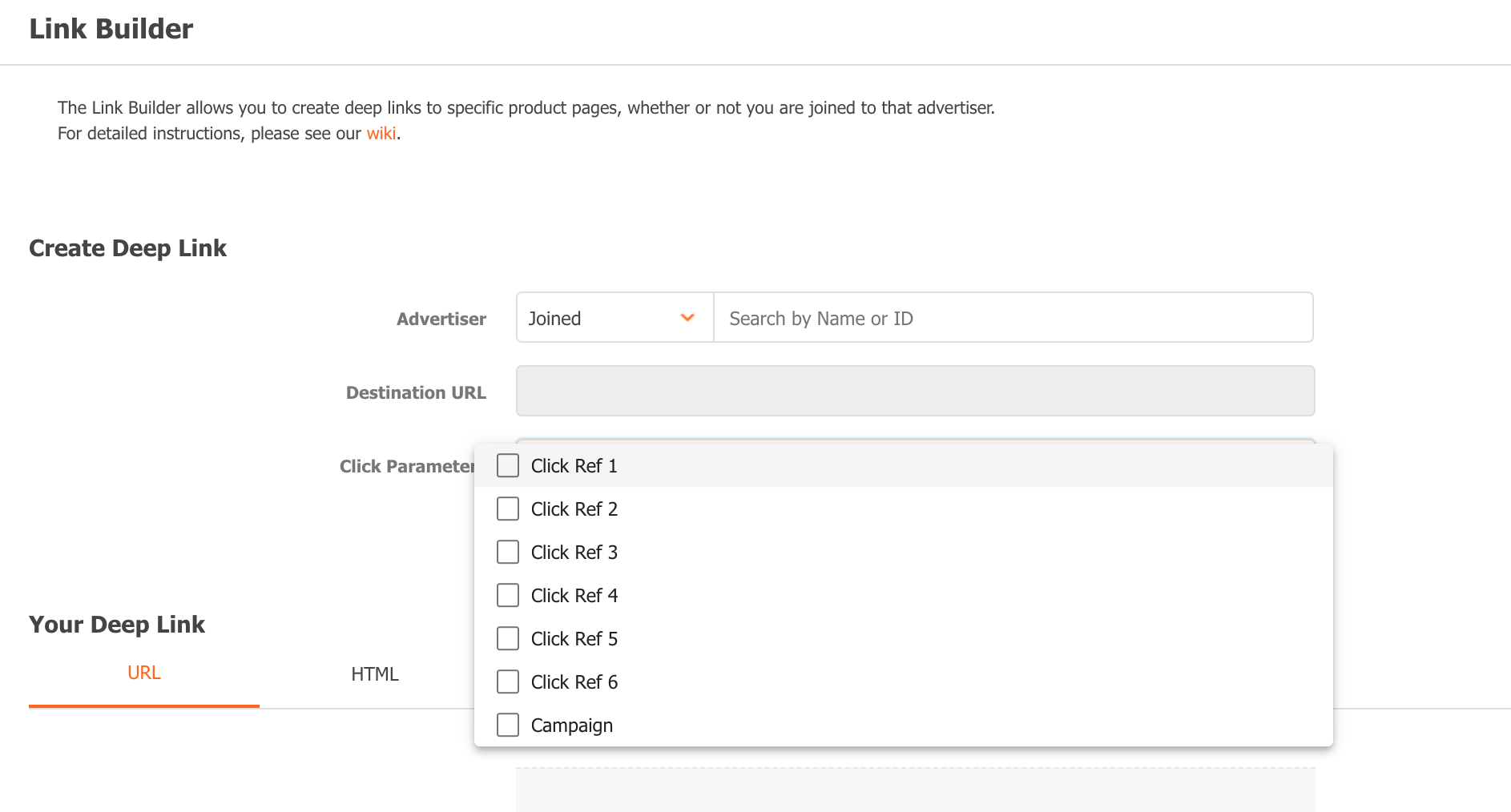
- Configure the Click Parameter *: Campaign and Click Ref 1, Click Ref 2, etc.
- Generate link.
- Share your tracking links in your with your users.
*In the UI you will find these two options under "Click Parameters": Campaign and Click Ref. Both can be used in the same manner (to differentiate traffic source), with Campaign is mostly associated with certain events, such as Black Friday, Christmas, etc.
In this example, the destination websites that you want to publish in your campaign are:
https://advertiser.com/home/
https://advertiser.com/product1/
https://advertiser.com/product2/
https://advertiser.com/product3/
So, let's get started.
Example 1: YouTube campaign
1 link to the advertiser's homepage
Copy the destination URL you want to use, paste it in the corresponding field and in 'Click Parameters' you select:
- Campaign = BlackFriday2021 (so you can know that these sales come exactly from here and not from other previous publications)
- Click Ref 1: youtube_home
So, your link would be:
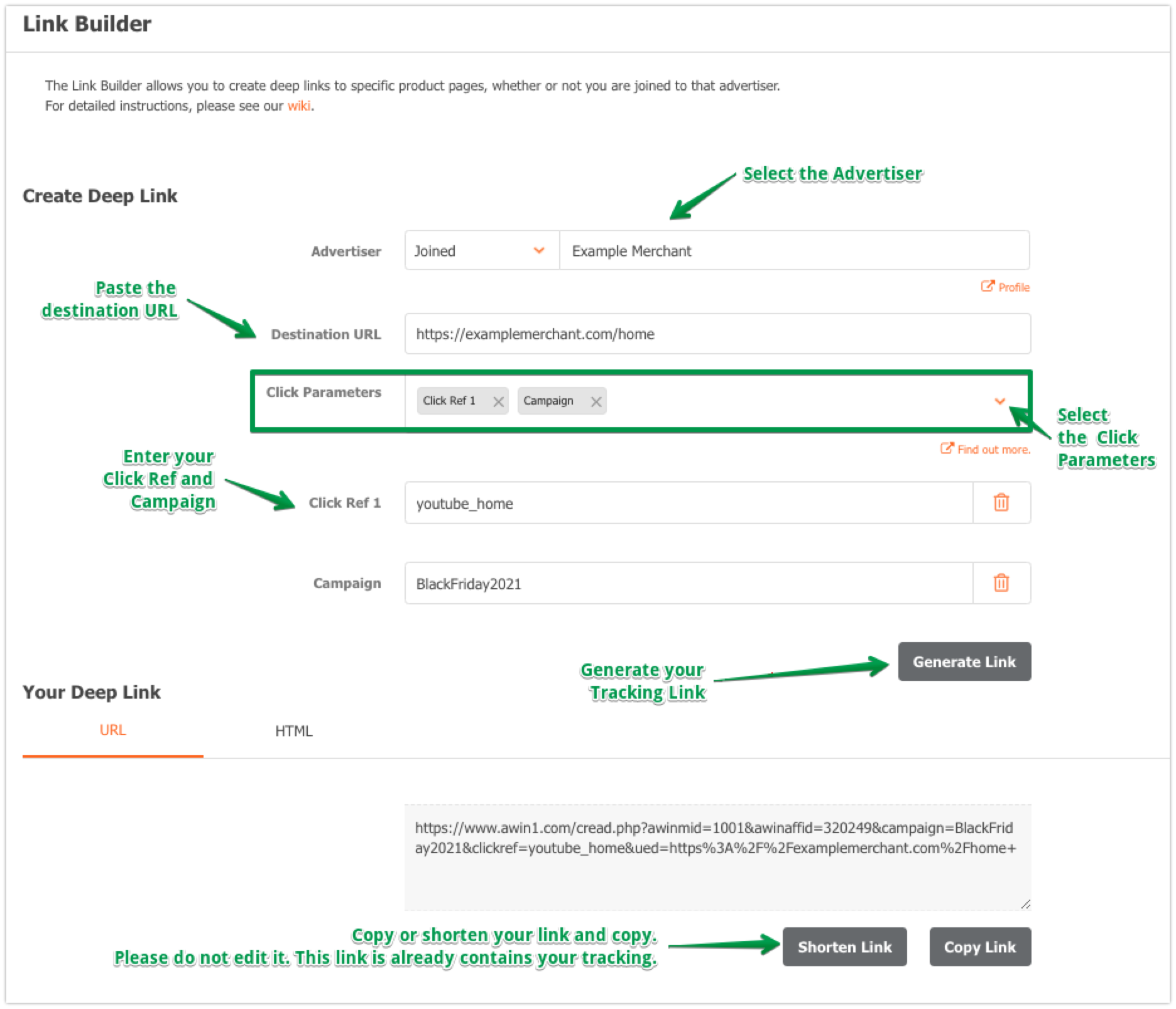
Example: https://www.awin1.com/cread.php?awinmid=1001&awinaffid=320249&campaign=BlackFriday2021&clickref=youtube_home&ued=https%3A%2F%2Fadvertiser.com%2Fhome%2F
Example 2: Instagram campaign
1 Link in your bio, you can use here:
- Campaign: BlackFriday2021
- Click Ref 1: IGbio
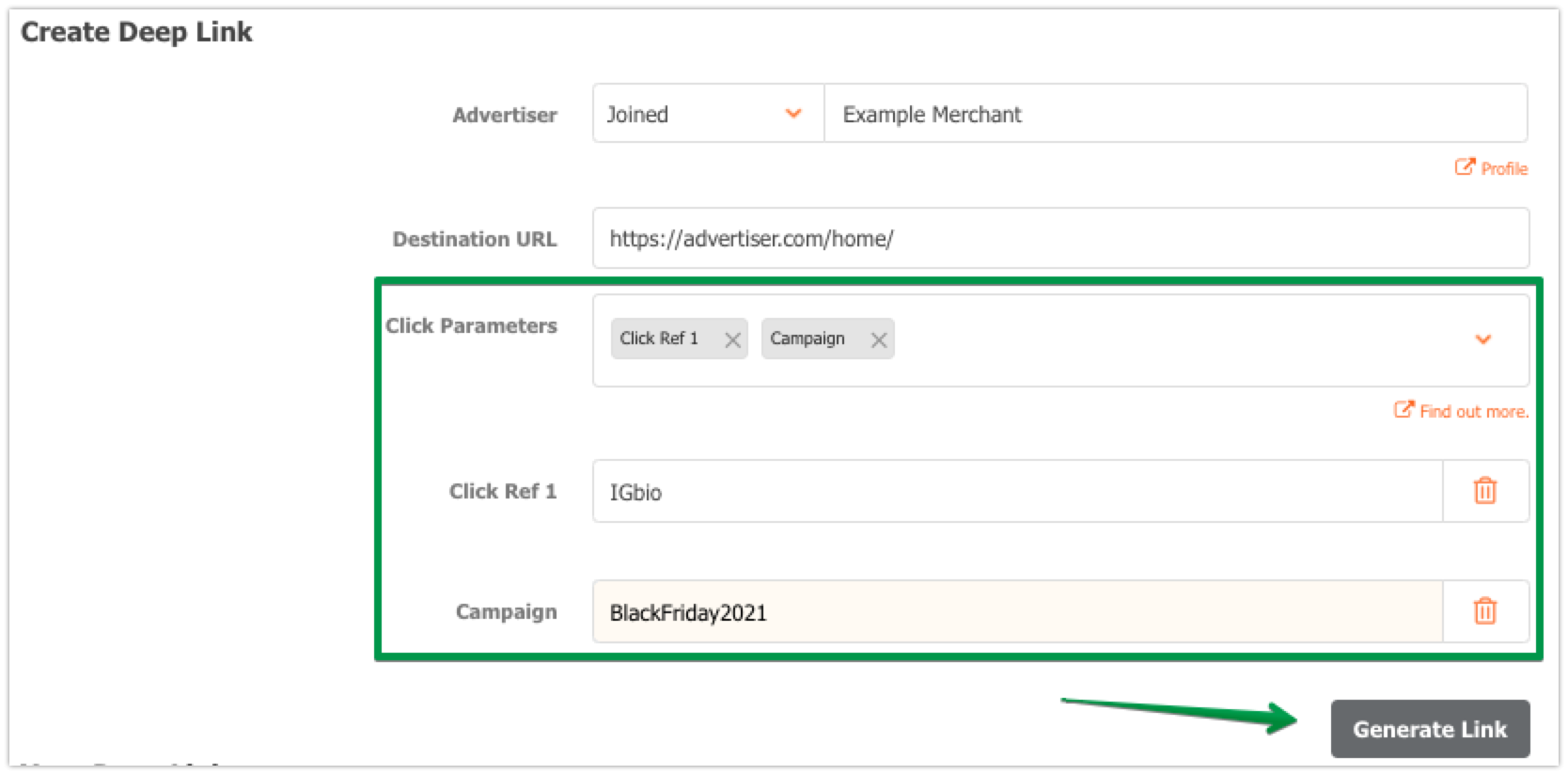
Example: https://www.awin1.com/cread.php?awinmid=1001&awinaffid=320249&campaign=BlackFriday2021&clickref=IGbio&ued=https%3A%2F%2Fadvertiser.com%2Fhome%2F
3 Links to products in Stories.
- Campaign = BlackFriday2021
- Click Ref 1 = IGstories
- Click Ref 2 = Product1
- Click Ref 3: 12h*
*You can also add for example a Click Ref that is the time of publication and thus know if the publication of a specific hour or another generates more sales. You can add up to 6 different Click Refs, of your choice.
So, your link for product 1 would be:
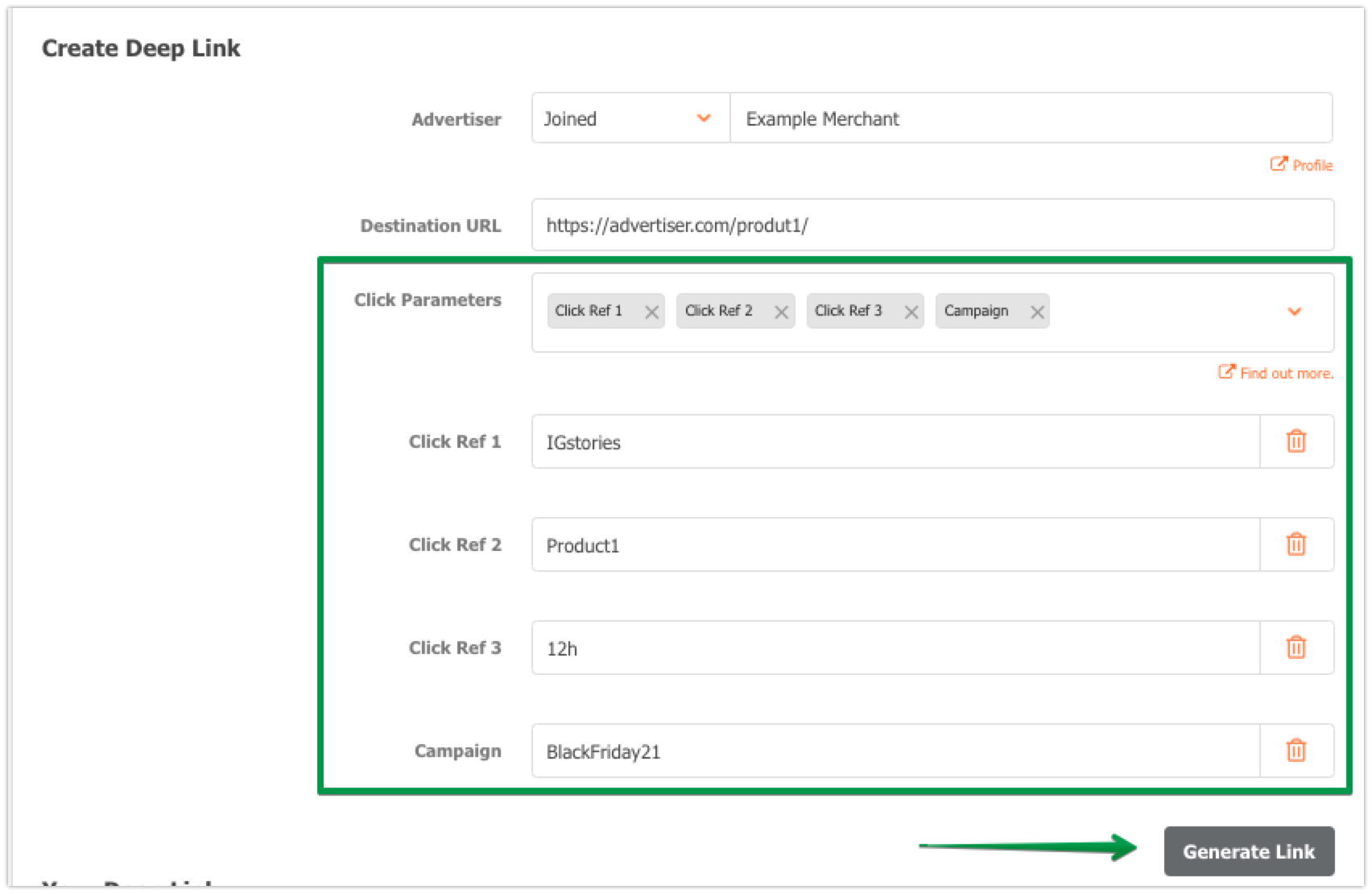
Example: https://www.awin1.com/cread.php?awinmid=1001&awinaffid=320249&campaign=BlackFriday21&clickref=IGstories&clickref2=Product1&clickref3=12h&ued=https%3A%2F%2Fadvertiser.com%2Fproduct1%2F
And for product 2 that you publish at 16:00, it would be:
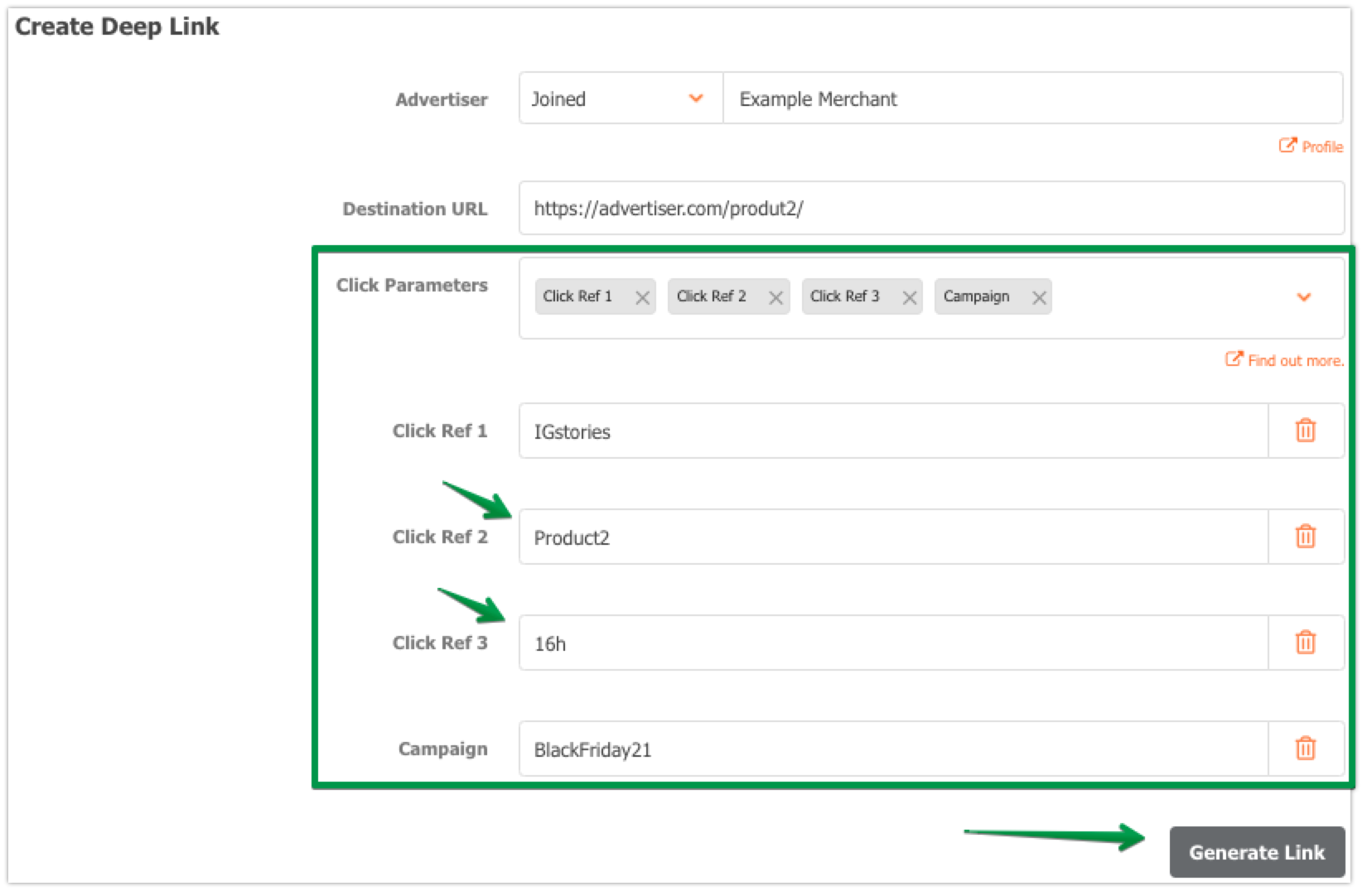
Example: https://www.awin1.com/cread.php?awinmid=1001&awinaffid=320249&campaign=BlackFriday21&clickref=IGstories&clickref2=Product2&clickref3=16h&ued=https%3A%2F%2Fadvertiser.com%2Fproduct2%2F
You can for example republish the product 1 at a different time and know if at 12h or 18h you get more sales, being then your link:
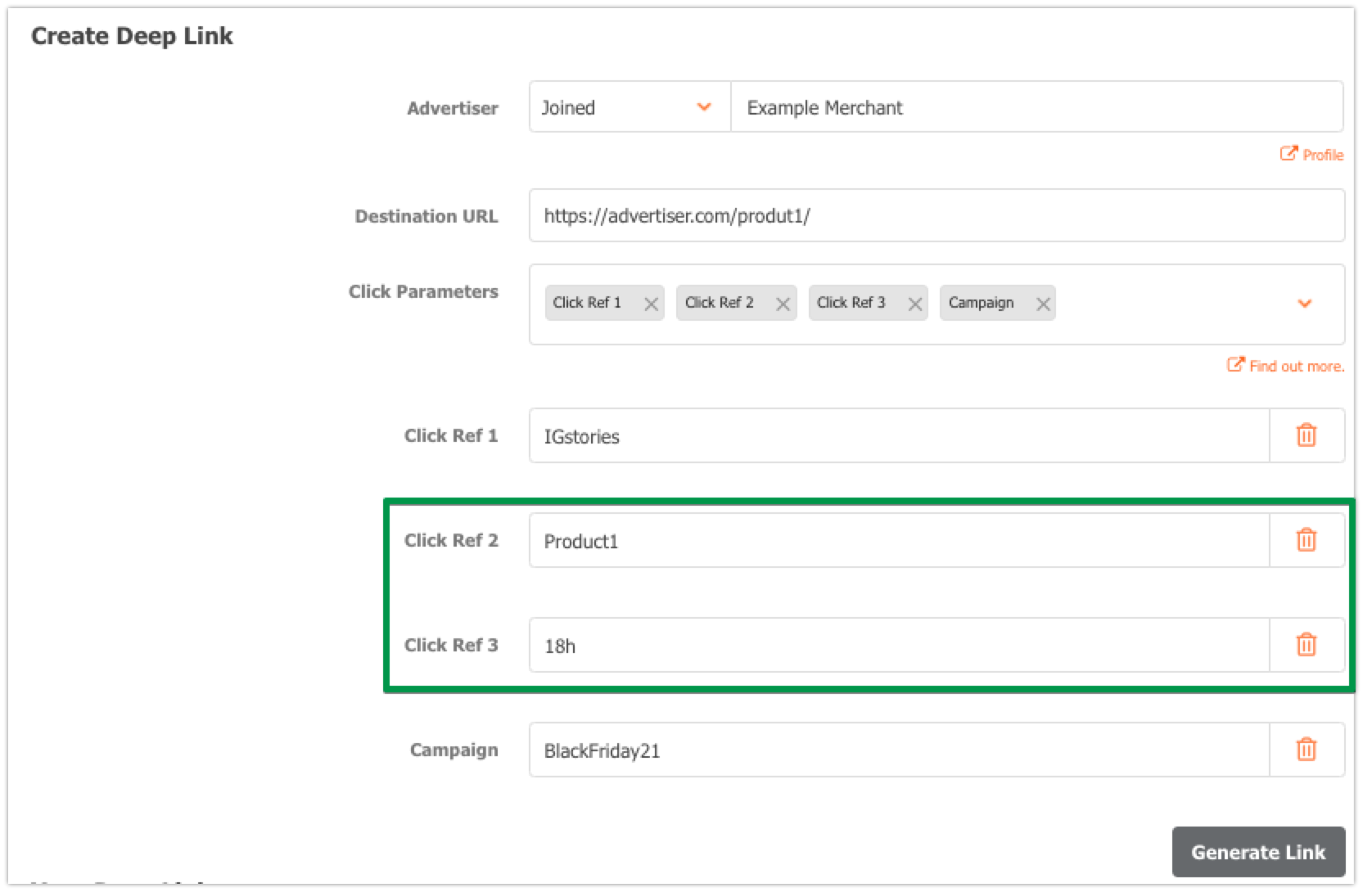
Example: https://www.awin1.com/cread.php?awinmid=1001&awinaffid=320249&campaign=BlackFriday21&clickref=IGstories&clickref2=Product1&clickref3=18h&ued=https%3A%2F%2Fadvertiser.com%2Fproduct1%2F
Example 3: Blog campaign
Finally, you need
three links to be added to the specific article on your blog.Same as in the previous cases:
Destination URL Product 1: https://advertiser.com/product1/
- Campaign = BlackFriday2021
- Click Ref 1 = Blog (you can put something that reminds you of the article title as well)
- Click Ref 2 = Product1
Product2: https://advertiser.com/product2/
- Campaign = BlackFriday2021
- Click Ref 1 = Blog
- Click Ref 2 = Product2
Product 3: https://advertiser.com/product3/
- Campaign = BlackFriday2021
- Click Ref 1 = Blog
- Click Ref 2 = Product3
And your custom tracking links would be:
Product 1:
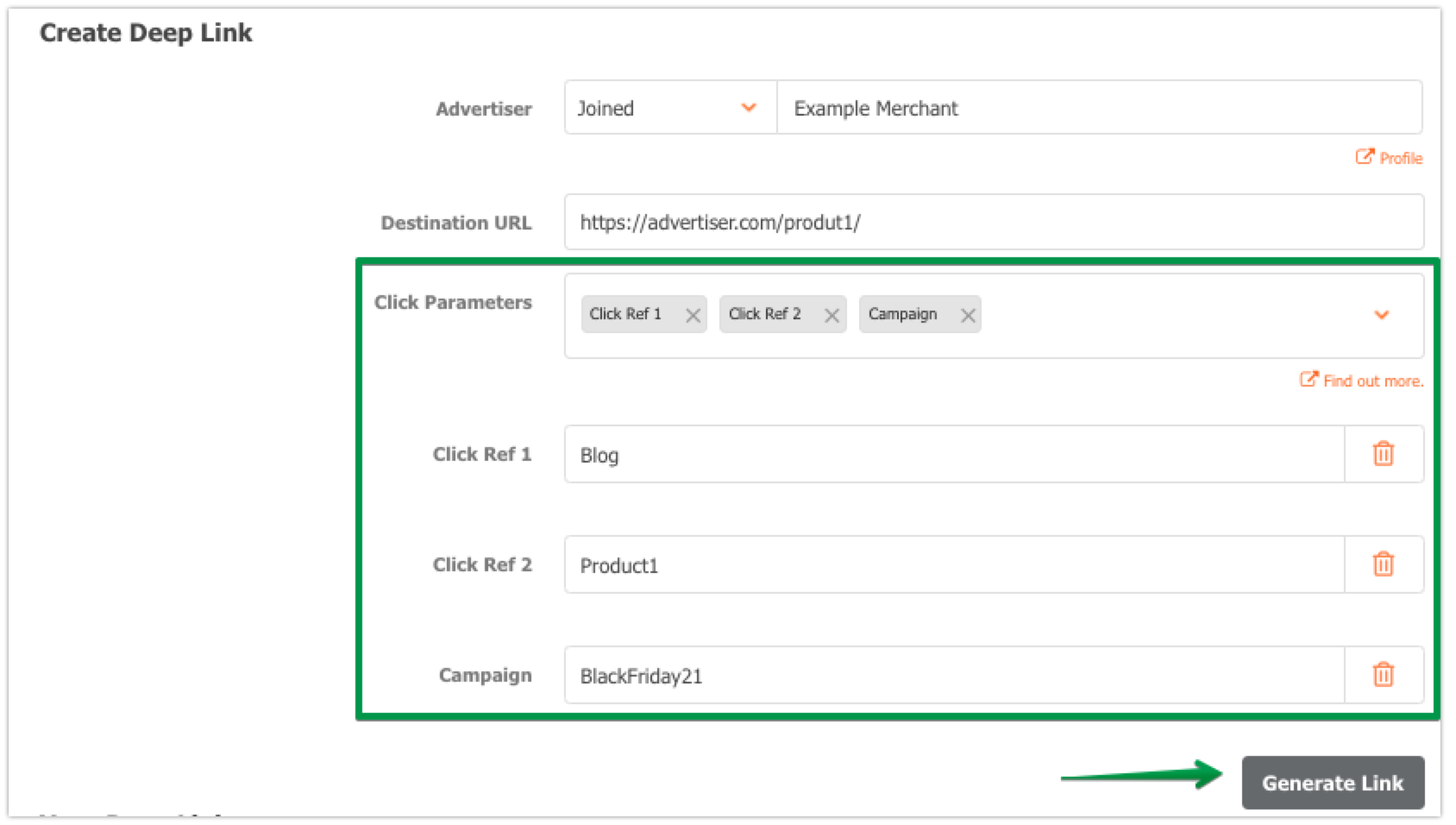
Product 1 example: https://www.awin1.com/cread.php?awinmid=1001&awinaffid=320249&campaign=BlackFriday21&clickref=Blog&clickref2=Product1&ued=https%3A%2F%2Fadvertiser.com%2Fproduct1%2F
Product 2 example: https://www.awin1.com/cread.php?awinmid=1001&awinaffid=320249&campaign=BlackFriday21&clickref=Blog&clickref2=Product2&ued=https%3A%2F%2Fadvertiser.com%2Fproduct2%2F
Product 3 example: https://www.awin1.com/cread.php?awinmid=1001&awinaffid=320249&campaign=BlackFriday21&clickref=Blog&clickref2=Product3&ued=https%3A%2F%2Fadvertiser.com%2Fproduct3%2F
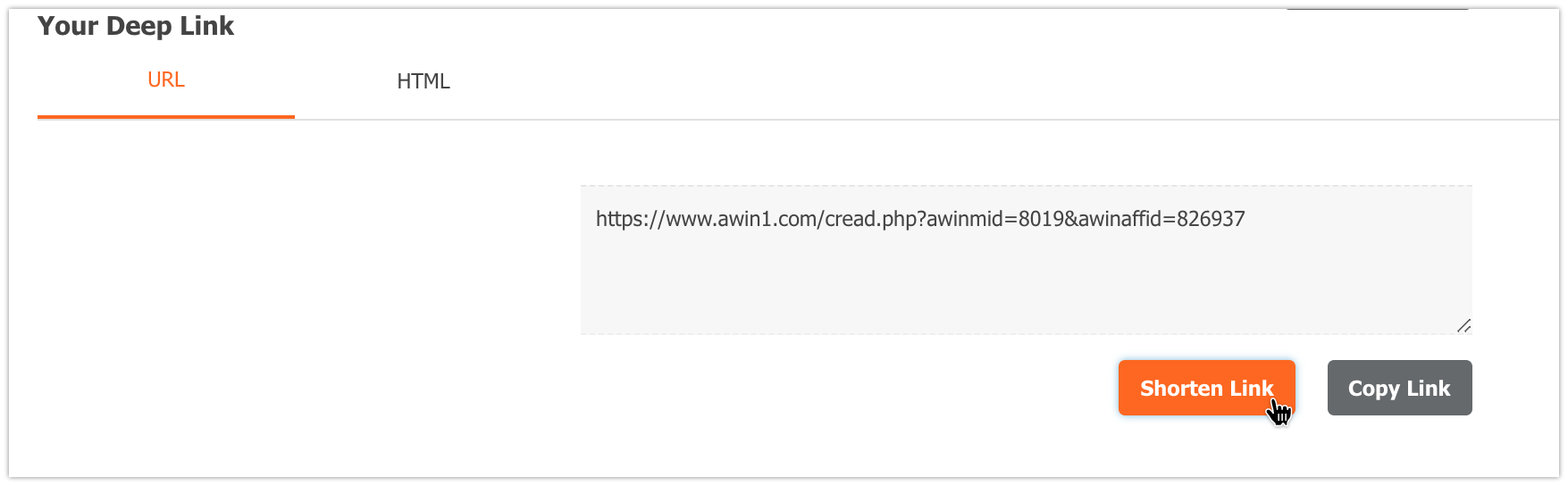
Note: All these links can be shortened by clicking on the "Shorten" button below your tracking link.
Analyze your Performance:
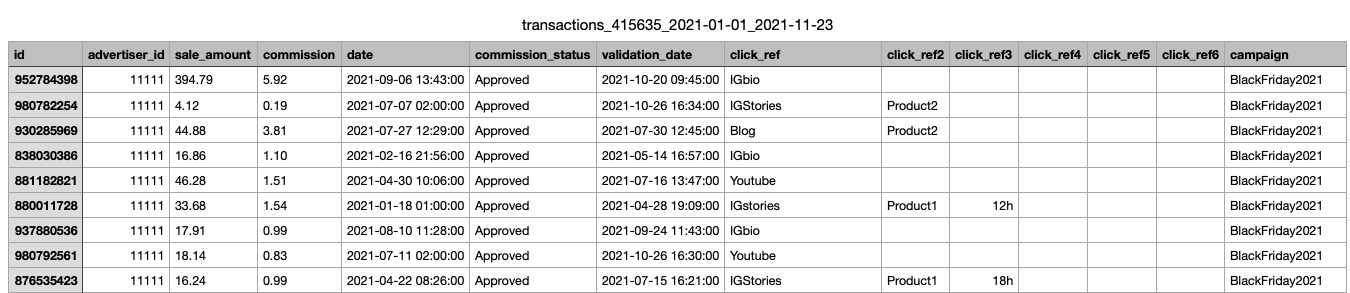
Once the links have been created and published, how do you know if a sale comes from one or the other? To do this you will use the Transaction Report by going to Reports > Transactions and downloading the report in Excel or CSV format.
Please note, in the UI only the Click Ref 1 is shown by default, to see all of them you must download the file.

In the Excel or CSV file you will find a column for each custom parameter that you can later measure and analyze.