Edit Account Permissions
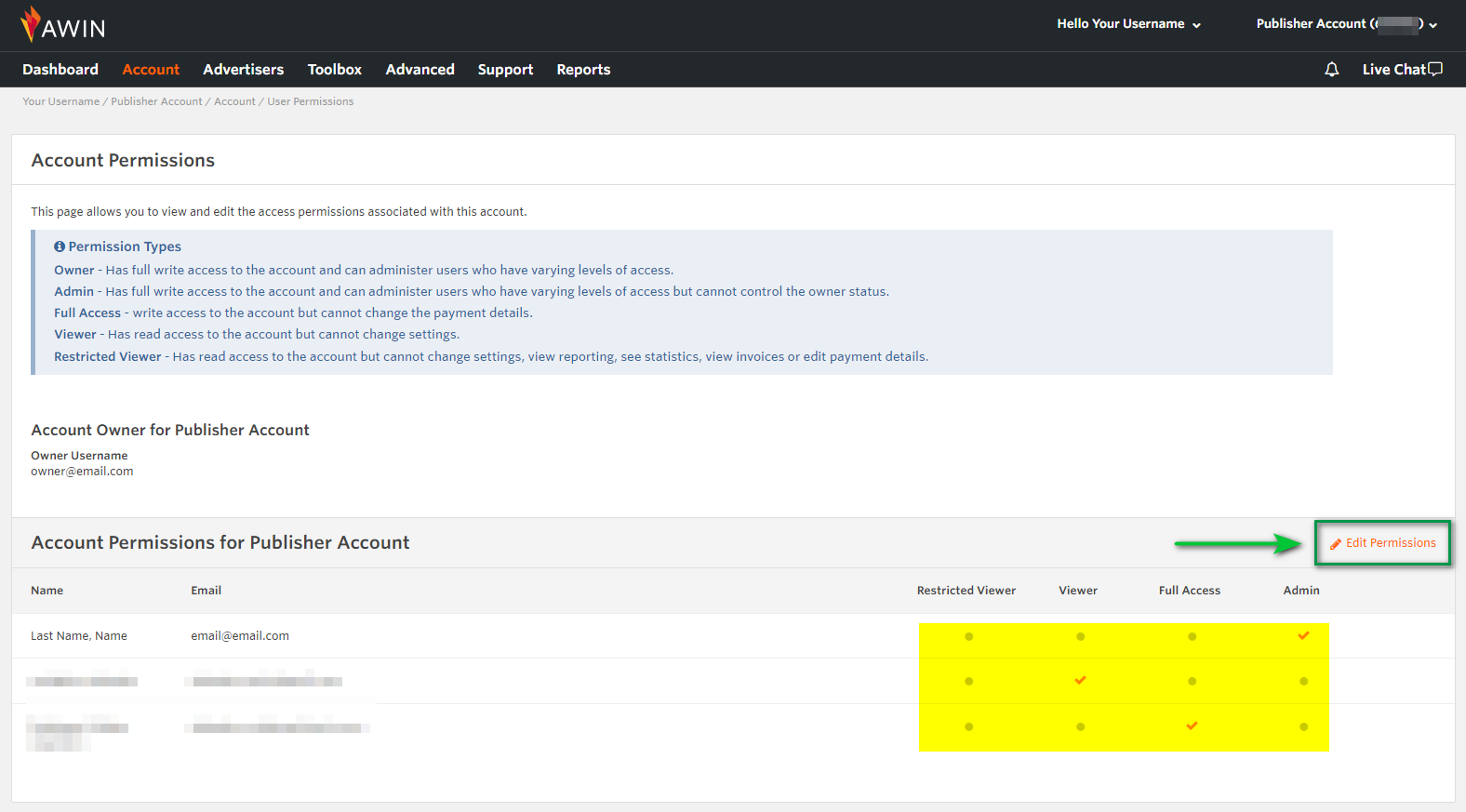
You will need to be the Owner or Admin on the account to be able to edit account permissions for users within an account:
- In the navigation menu, go to Account
- Click on User Permission
- Click on Edit Permissions
- You are now able to change User Account Permissions
- Then finally click on Update
Please note that due to security reasons, changing the account ownership can only be done by Awin. To request a change of ownership to your account, please contact us via the contact form, specifying your Publisher account ID and the email of the new account owner.
If you want to invite a new user, see the article:
How do I invite a new user to access my account?
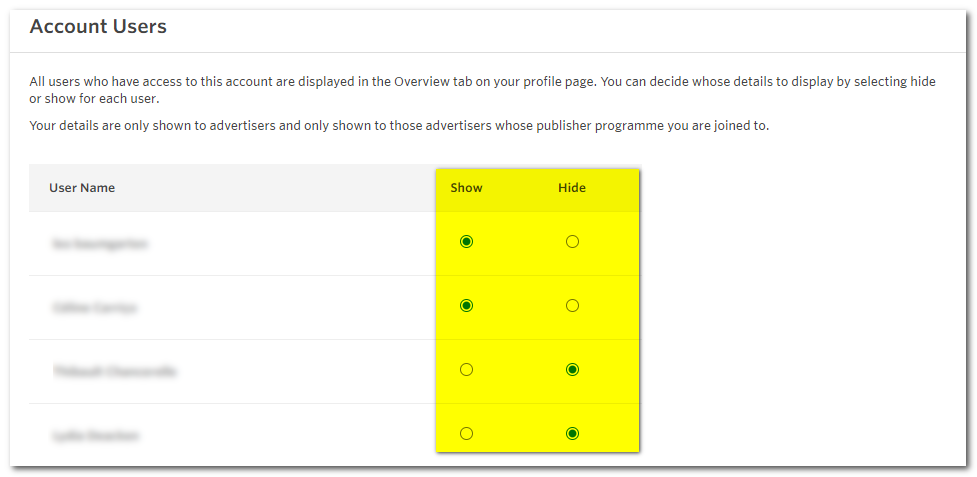
Showing or Hiding Account Contacts
As an account owner/ admin, you can alter the Privacy Settings for the account to show or hide certain account contacts (users who have been invited onto the account).
To do this, please navigate to the Account > Manage Users menu, and choose Show or Hide for the contacts you want to display or hide to Advertisers. Then, click on Update User Privacy Settings to save your changes.