You can invite new users to have access to an account. This is useful if you have a colleague who is working with you on the account.
All that you need to do is go to the "Account" tab in the user interface and select "Users > Invite User". Enter their email address and the permission level that you wish them to have and click on Invite. This will send that user an email telling them how to proceed.
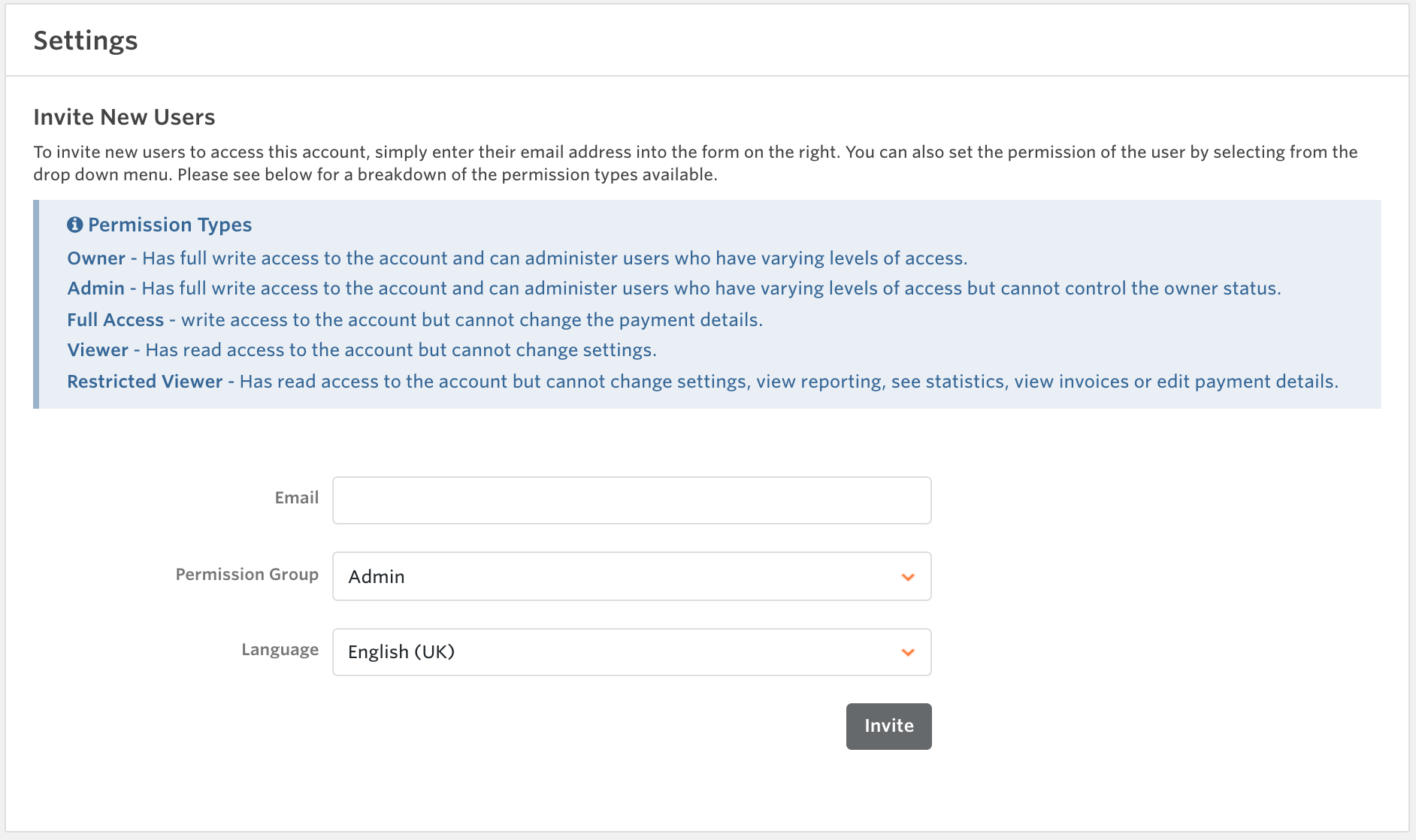
If you want to change the permission level for this new user or other existing users, see the article How can I manage or edit user permissions? for detailed instructions.
Please note that to fully protect your account:
- The account owner cannot transfer the ownership of an account to someone else. To change ownership, please contact us via the contact form, specifying your Publisher account ID and the email of the new account owner. You may be required to send proof of identification.
- We recommend that all users within the account, in particular those with editing permissions (Owner, Admin and Full Access), activate Two-Step Verification. See the article How to activate and deactivate the Two-Step Verification for the detailed instructions.



